Local-first voice cloning, conversion, transcription, and dubbing for Apple Silicon.
See the public repository below for setup, usage, and current development status.
Local-first voice cloning, conversion, transcription, and dubbing for Apple Silicon.
Product · Active · 2026 · Updated
Python, Apple Silicon, Voice
Local-first voice cloning, conversion, transcription, and dubbing for Apple Silicon.
See the public repository below for setup, usage, and current development status.

Clone a voice. Keep a performance. Turn speech into text. Bring dialogue to picture.


Get started · User guide · Mac app · Architecture
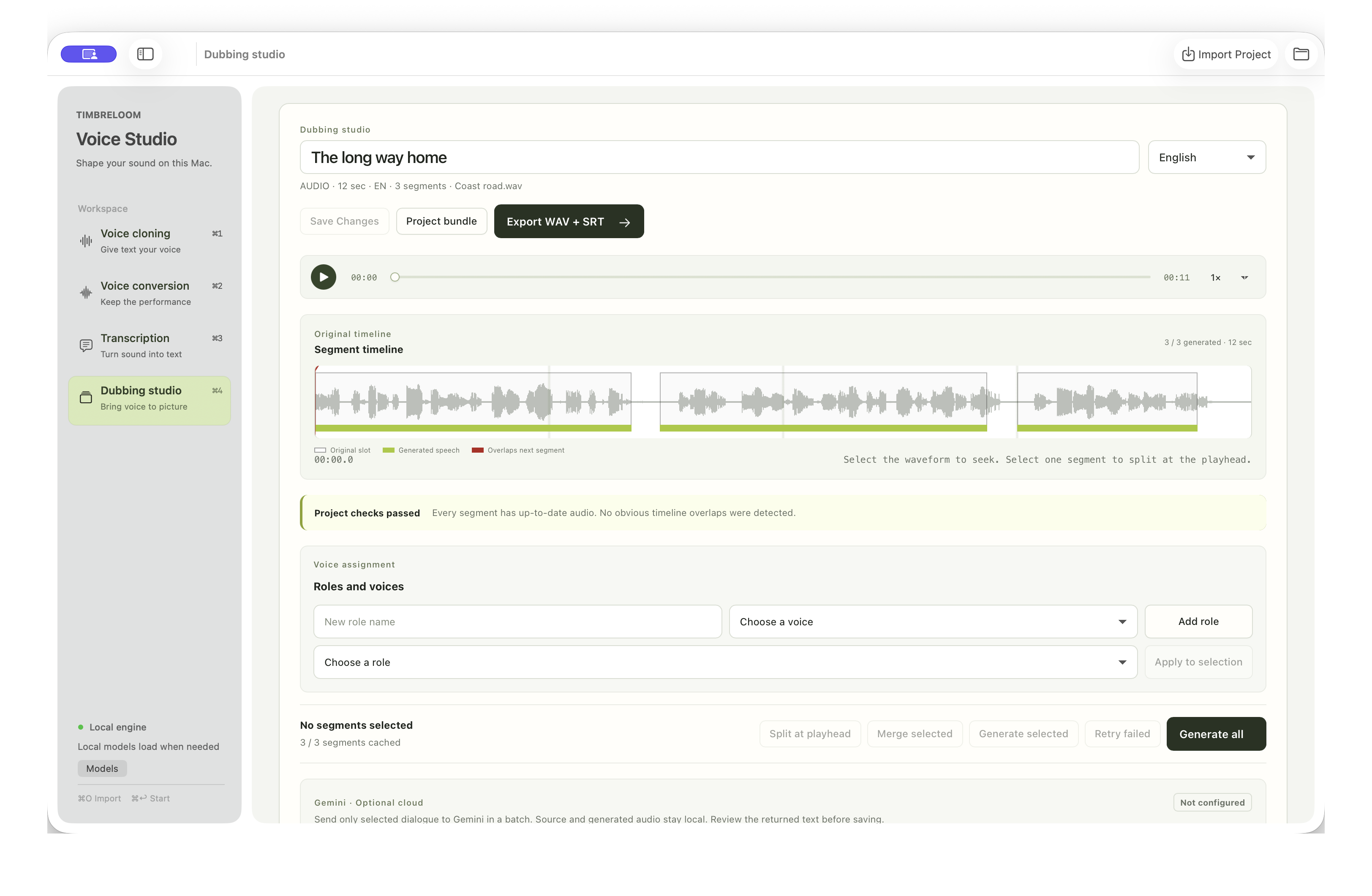
Timbreloom brings four audio workflows into a native Mac app, with a shared local library and an English interface. Audio processing runs on your Mac using Qwen3-TTS, Whisper, and Seed-VC. Download the models you need once, then work offline.
| Workspace | What you can do |
|---|---|
| Voice cloning | Save a short reference recording and generate a sentence, a chapter, or a full script in that voice. |
| Voice conversion | Give an existing audio or video performance a new voice while preserving its rhythm, pauses, and expression. |
| Transcription | Turn audio or video into editable, timestamped text; export TXT, SRT, or VTT. |
| Dubbing studio | Assign roles and voices, edit lines on a shared timeline, regenerate individual segments, and export WAV, SRT, and MP4. |
| From a reference to a new script | From a recording to editable words |
|---|---|
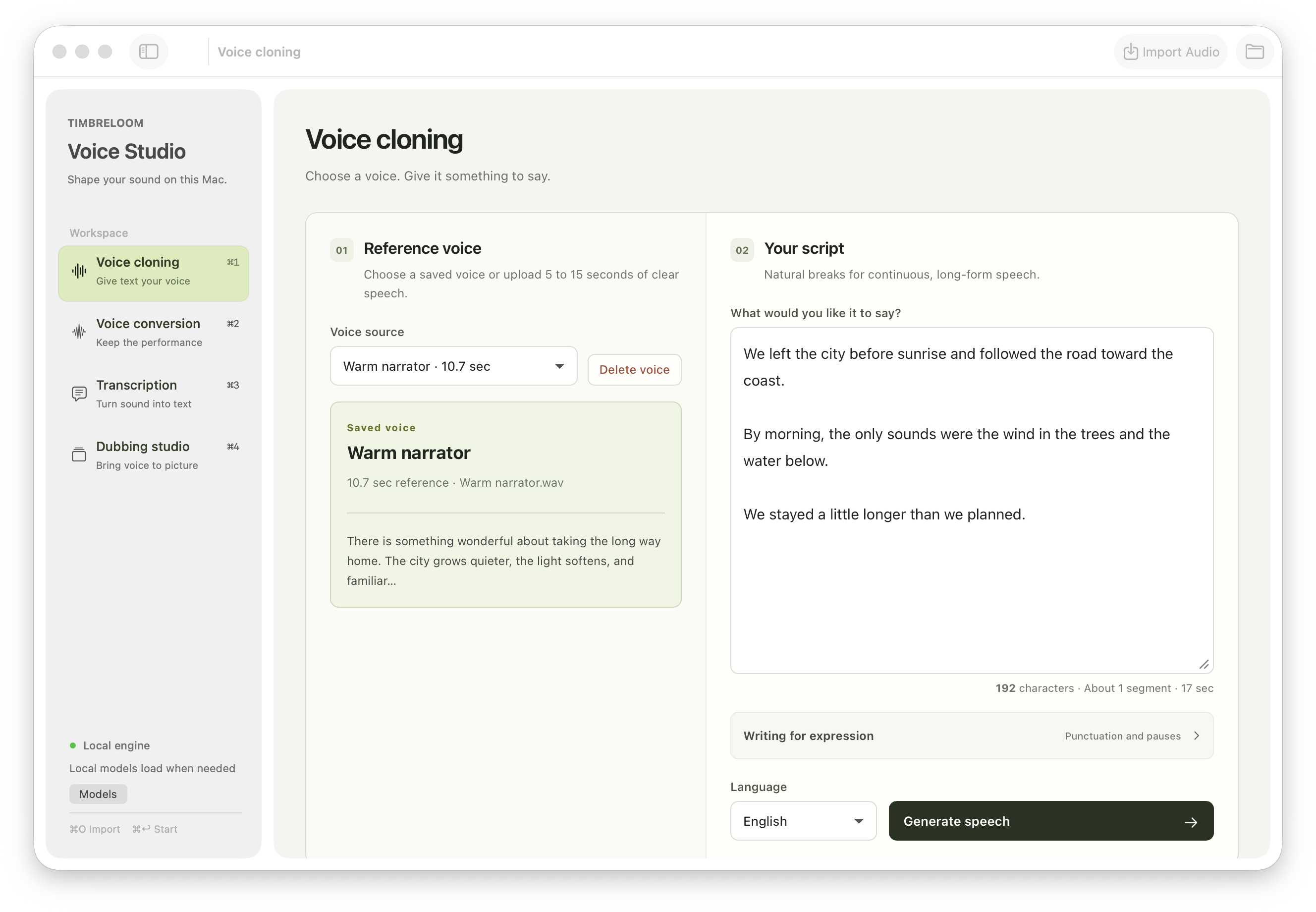 | 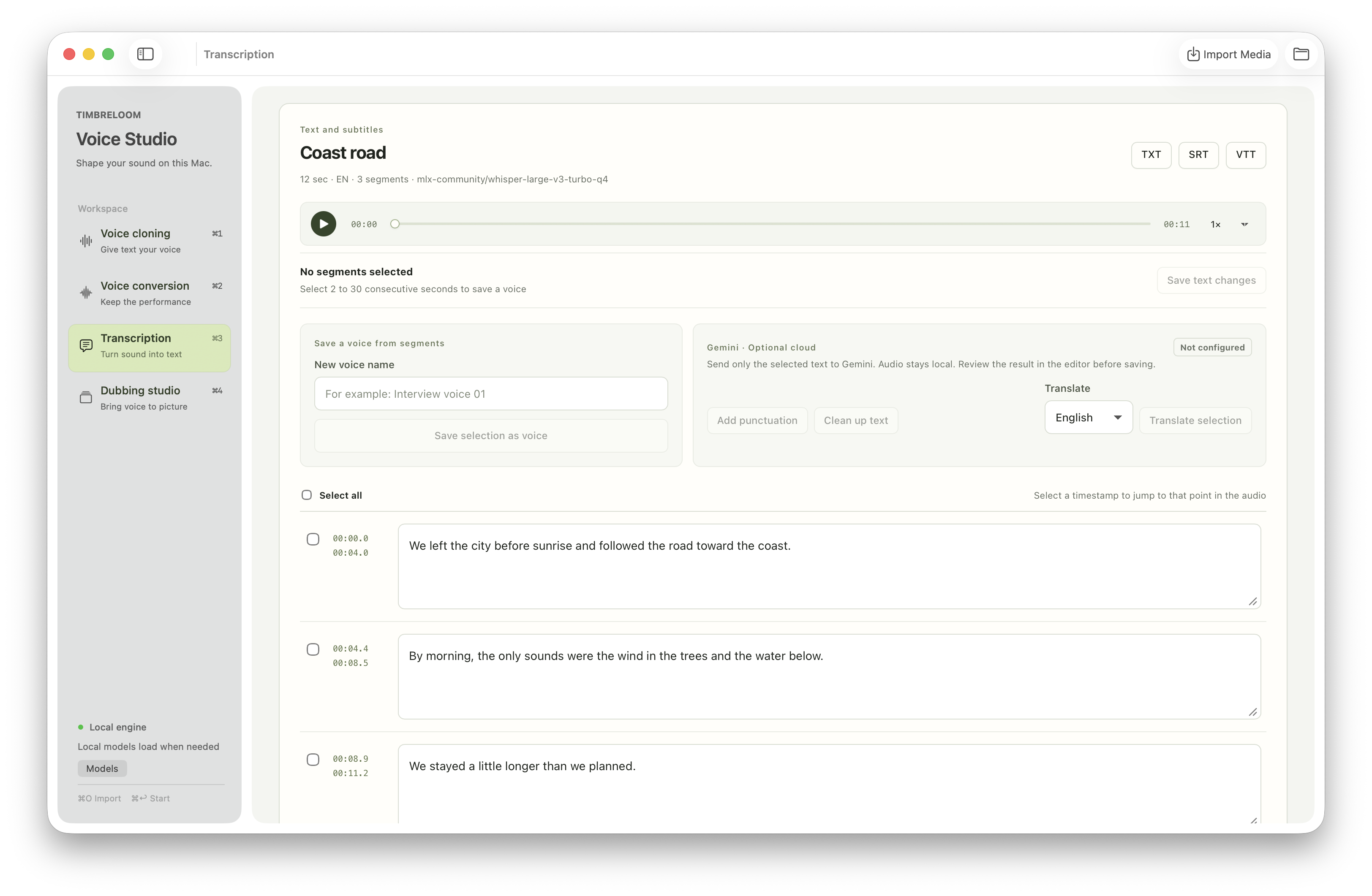 |
The screenshots show the actual Mac app using a separate demonstration library.
.timbreloom bundle carries the project, referenced voices, media, and generated audio.Timbreloom is built for Apple Silicon Macs. The current standalone app requires macOS 26.2 or later. This repository provides the source and build tools; the current local binary candidate is development-signed and has not been notarized for public distribution. See release validation for the exact status and testing limits.
Install uv and FFmpeg, then clone this repository. The main environment uses Python 3.12; Seed-VC uses an isolated Python 3.10 environment.
brew install uv ffmpeg
git clone https://github.com/Audiofool934/Timbreloom.git
cd Timbreloom
./setup.sh
./start.sh
Open localhost:7865. The developer setup downloads all three model groups and prepares the environments, so allow several gigabytes of disk space. Models and your library are excluded from Git.
After setting up the project:
.venv/bin/python scripts/build_macos_app.py --install
open ~/Applications/Timbreloom.app
This builds a development app connected to your checkout. For a standalone app with bundled runtimes, see the Mac build guide.
The standalone app includes the runtime and downloads no model weights at launch. Open Models or press ⌘, to download, pause, or resume each model separately. Existing library items remain available to view and edit while a model is missing.
| Model | Enables | Download size |
|---|---|---|
| Qwen3-TTS 0.6B Base, BF16 | Voice cloning and dubbing | About 2.52 GB |
| Whisper Large v3 Turbo, Q4 | Transcription | About 464 MB |
| Seed-VC and supporting models | Voice conversion | About 1.88 GB |
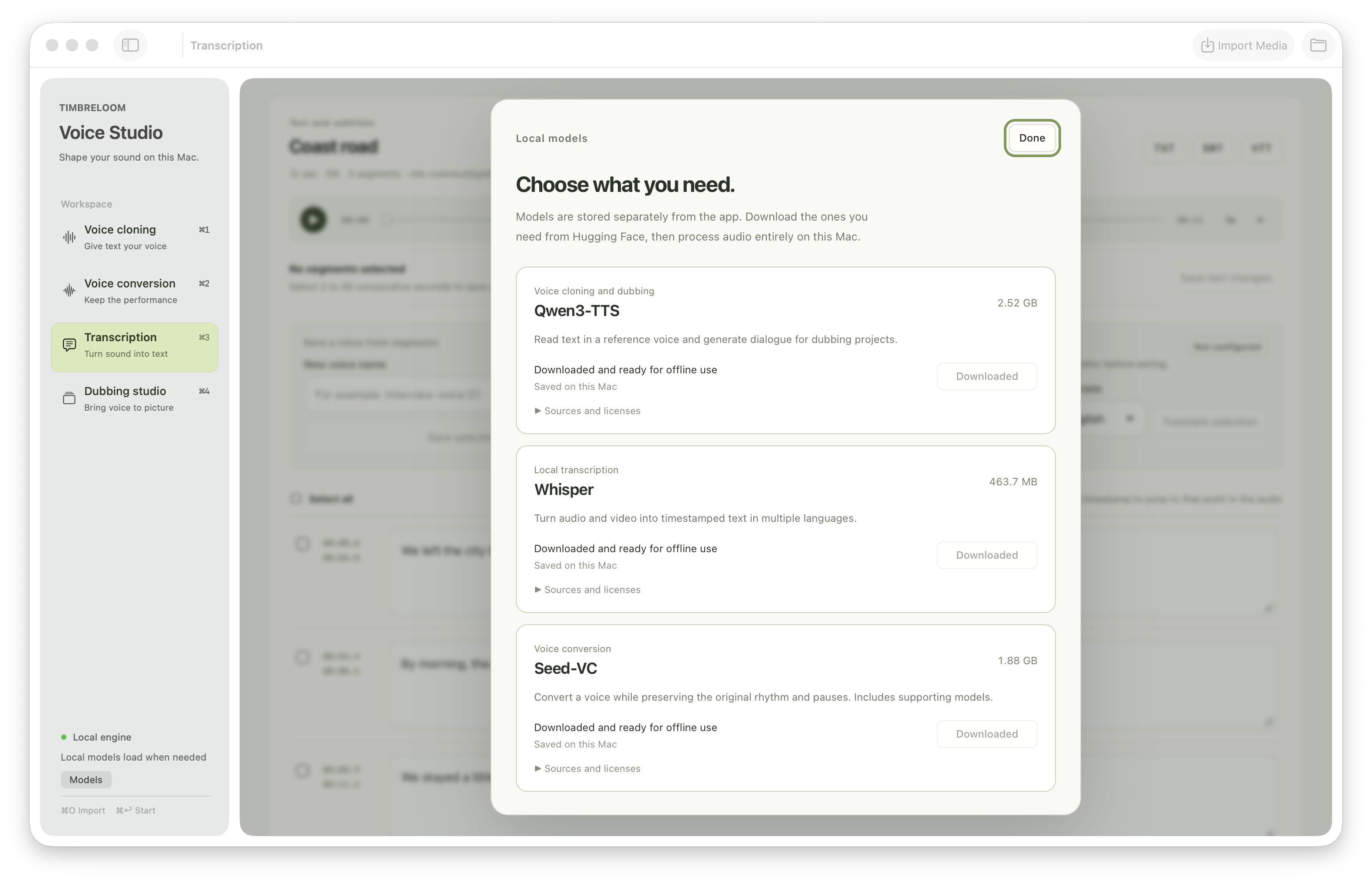
The Mac app keeps models in ~/Library/Application Support/Timbreloom/models and your library in ~/Library/Application Support/Timbreloom/data.
Replacing the app preserves both.
Source runs use the repository’s models/ and data/ folders by default.
Set TIMBRELOOM_MODELS_DIR or TIMBRELOOM_DATA_DIR to use a different location.
Downloads use pinned revisions and verify every file with SHA-256 before enabling a model. Partial downloads are retained across pauses, connection failures, and app restarts.
The service listens only on 127.0.0.1.
Local voice cloning, conversion, transcription, and dubbing do not upload your recordings or generated audio.
Microphone access is requested only when you start recording.
The English interface supports multilingual speech and text.
Gemini is an optional text tool for punctuation, cleanup, and translation.
It requires GEMINI_API_KEY and explicit confirmation before sending selected text; audio stays local.
Cloud usage may incur charges.
Keep credentials out of source files and Git.
Use your own voice or voices you have explicit permission to use, and disclose AI processing when sharing results.
TIMBRELOOM_DATA_DIR="$(mktemp -d -t timbreloom-tests)" TIMBRELOOM_PRELOAD=0 uv run pytest -q
node --test tests/test_browser_helpers.mjs
.venv/bin/python scripts/e2e_macos.py
.venv/bin/python scripts/e2e_macos.py --models
The WebKit checks use an isolated sample library and synthetic ASR. Real model validation is a separate step described in the Mac build guide.
The independently authored Timbreloom application and integration code is licensed under MIT. Third-party software and model weights retain their own licenses, including GPL-3.0 for the optional Seed-VC engine. See third-party notices and Seed-VC integration for details. Model weights, personal audio, local libraries, credentials, Python environments, and built applications are not included in this repository.
