An old craft in a new hand: an open mosaic engine and the agent skill that lays it, in stones of glass, marble, and gold.
See the public repository below for setup, usage, and current development status.
An old craft in a new hand: an open mosaic engine and the agent skill that lays it, in stones of glass, marble, and gold.
Product · Active · 2026 · Updated
JavaScript, Mosaic, Agents
An old craft in a new hand: an open mosaic engine and the agent skill that lays it, in stones of glass, marble, and gold.
See the public repository below for setup, usage, and current development status.
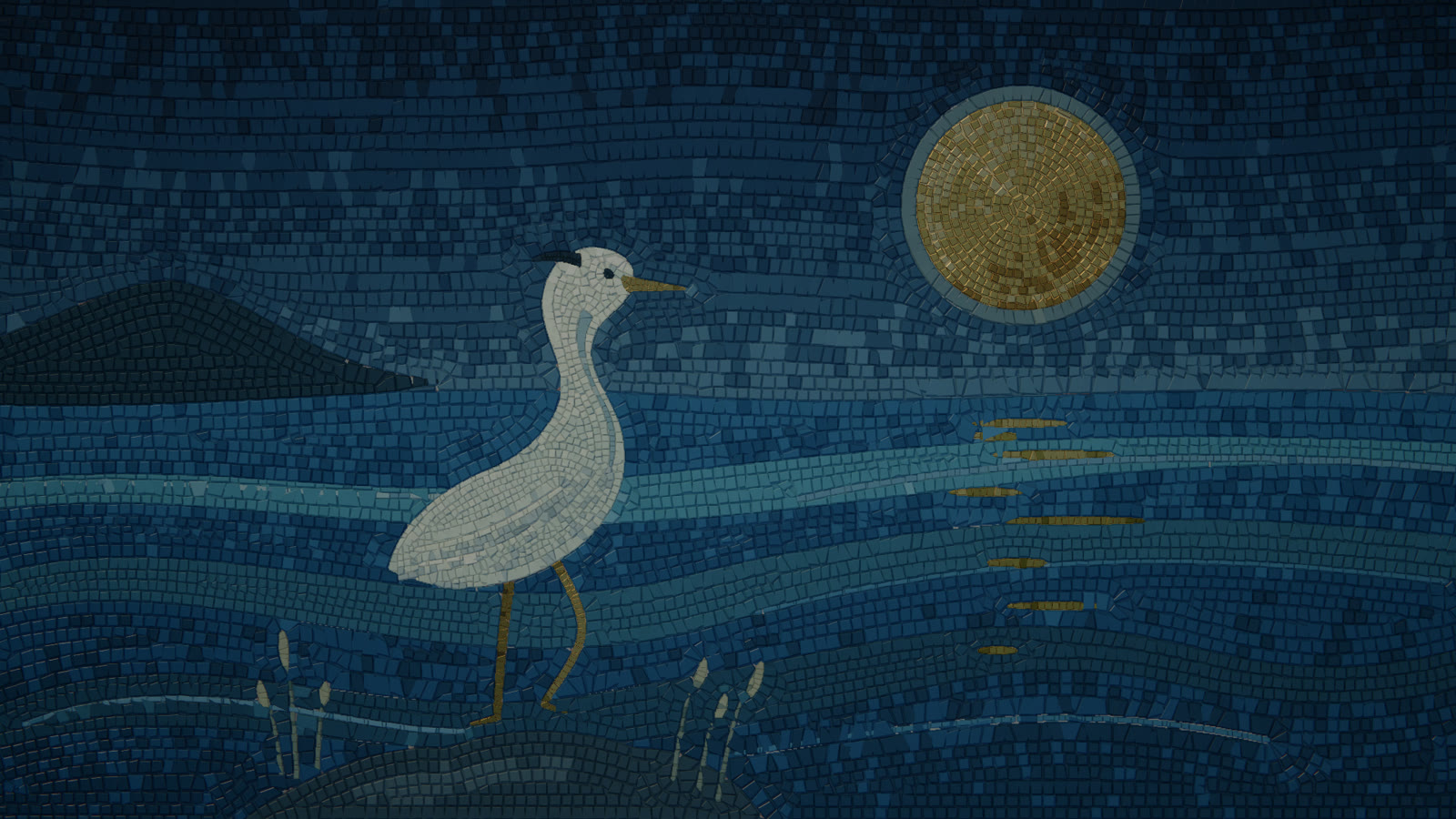
An old craft in a new hand: make physical mosaic art together with your agent. Thousands of individually cut stones follow the contours of a picture, catch the light, cast shadows, and move beneath your pointer. Glass, marble, gold, and mortar share one WebGL2 engine across the browser studio, still images, and animated films.
The project includes an interactive studio and a portable mosAIc agent skill. See them at mosaic.audiofool.ai. Start from a deliberately composed key picture or bring an image of your own.
Use Node.js 20 or newer and a browser with WebGL2 enabled. From this checkout:
npm ci
npm run dev
Open the local URL printed by the preview command. The same server shows the project page at its root URL. Move across the original artwork, change the light, look closer, or choose Bring an image to make your own mosaic. Image analysis and rendering happen in your browser. Choose glass, stone, or gold, adjust the stone size, and save a PNG.
The agent and command-line workflows use the same scene files and renderer as the studio.
node tools/cli.mjs init ./my-mosaic
node tools/cli.mjs inspect ./my-mosaic/project.json
node tools/cli.mjs preview ./my-mosaic/project.json
Edit the generated scene.js to draw the composition and choose its materials.
Edit project.json to set the aspect ratio, timing, and scene transitions.
The included nocturne is a starting point, not a required style or subject.
Capture requires Chromium through Playwright Core:
npx playwright-core install chromium
node tools/cli.mjs still ./my-mosaic/project.json --time 2 --width 1920 --samples 4 --out ./output/art.png
For a silent MP4, install FFmpeg on your system and make it available on PATH:
node tools/cli.mjs render ./my-mosaic/project.json --width 1280 --samples 2 --to 120 --out ./output/art.mp4
Without --to, render draws every frame of the project.
Without a GPU, capture uses software WebGL and takes seconds per frame, so try a short range and a smaller width before a full film.
Lay an image of your own as a project, then capture it the same way:
node tools/cli.mjs import ./photo.jpg ./my-photo --material glass --stone-size 12
node tools/cli.mjs still ./my-photo/project.json --width 1600 --samples 4 --out ./output/photo.png
Preview the included two-scene film with node tools/cli.mjs preview examples/film.json.
The studio shows playback and scrubbing controls for a project manifest.
The frame range includes --from and excludes --to.
The project manifest controls frame rate, and output height follows its aspect ratio.
Exports include a receipt describing the source and render settings.
Use node tools/cli.mjs --help for the available options.
Build the portable skill and static website:
npm run build
Copy the complete dist/mosaic/ directory into your agent’s skills directory.
For example, Codex uses ~/.codex/skills/mosaic/ and Claude Code supports ~/.claude/skills/mosaic/.
Keep the directory intact: it includes the instructions, references, command wrapper, and a self-contained runtime under assets/runtime/.
For capture, run npm ci and npx playwright-core install chromium inside that runtime directory.
MP4 films also need FFmpeg on your PATH.
mkdir -p ~/.claude/skills
rm -rf ~/.claude/skills/mosaic && cp -R dist/mosaic ~/.claude/skills/
cd ~/.claude/skills/mosaic/assets/runtime
npm ci && npx playwright-core install chromium
Remove the old copy before installing a new one, as above, so no file from an earlier version stays behind.
Ask your agent to use mosAIc, describe the image you want to make, and specify a still, interactive artwork, or film.
The skill guides scene authoring, preview, rendering, and visual inspection without requiring a specific model or paid service.
Its wrapper is node <skill-directory>/scripts/mosaic.mjs and supports the same commands as the checkout.
The Pages workflow tests and builds every push to main and publishes dist/site/ to mosaic.audiofool.ai with GitHub Pages.
To host it elsewhere, serve the contents of dist/site/ from any static HTTP host.
The root is the project page and the studio lives at site/.
The build keeps all asset URLs relative, so the site can live under a subdirectory.
For example, after serving the build at /mosaic/, embed the complete studio with:
<iframe
  src="/mosaic/site/"
  title="Interactive mosaic studio"
  style="width:100%;height:1000px;border:0"
  loading="lazy">
</iframe>
For a custom interface, import createMosaic from engine/runtime.js and attach it to your own canvas.
To cut a wall around the words of an existing page, start from examples/page-wall/: its page marks blocks with data-wall, and wall.js lays the stones around them.
The architecture guide explains the controller and how to keep the stones, lighting, pointer response, and exports in sync.
It also covers cutting stones in a worker and walls of several pictures that a page scrolls across, as the project page does.
Continuous video stylization is deferred. The importer uses image analysis rather than semantic object recognition, so a clear composition and good source image matter. Movies are silent unless you add sound separately.
The initial GPU visual check uses Chromium on macOS Apple Silicon. Windows, Linux, Safari, and Firefox have not yet completed visual acceptance. Software rendering is available through the capture tools but can be slow, and different graphics drivers can produce small pixel differences. This is an early public-project foundation, not a cross-platform compatibility guarantee.
npm test
npm run check
npm run test:browser
npm run build
The project page is itself a live wall, cut in the visitor’s browser around the page’s own layout.
Its few pictures, the method plate, the short film, the share image, and the still shown without WebGL2, are rendered from examples/ by the same engine.
The gallery’s other works, in home/works/, were made by agents with the skill or in the sketchbook the engine came from, and provenance records each source.
Run npm run media after a visual change to render them again; it needs the same Chromium and FFmpeg as capture.
Builds copy the canonical source rather than maintaining a second renderer. The tests verify mathematical behavior, source-to-bundle equality, and repeatable GPU rendering. The browser smoke test requires the same Chromium setup as capture. See verification for the initial acceptance results and limits, and architecture, sound, and source provenance for implementation details.
Project-authored code is MIT licensed. Keep third-party notices with distributions, and retain the appropriate rights to any images or sound you import.