Less setup. More listening. A free, open-source macOS menu bar app for Apple Music and your DAC.
See the public repository below for setup, usage, and current development status.
Less setup. More listening. A free, open-source macOS menu bar app for Apple Music and your DAC.
Product · Active · 2026 · Updated
Swift, macOS, Apple Music
Less setup. More listening. A free, open-source macOS menu bar app for Apple Music and your DAC.
See the public repository below for setup, usage, and current development status.
Less setup. More listening.
filo is a free, open-source menu bar companion for your Mac and USB DAC. macOS runs an output device at one fixed sample rate, so a 44.1 kHz album played through a DAC left at 192 kHz is resampled on the way. filo watches what Apple Music is playing and switches your DAC to the matching sample rate, and to a suitable bit depth when the source depth is known. You keep listening in your usual player and spend less time in Audio MIDI Setup.
Download for Mac · Install guide · User guide
macOS 14.4 or later · Apple Silicon and Intel · Developer ID signed and notarized by Apple · MIT license
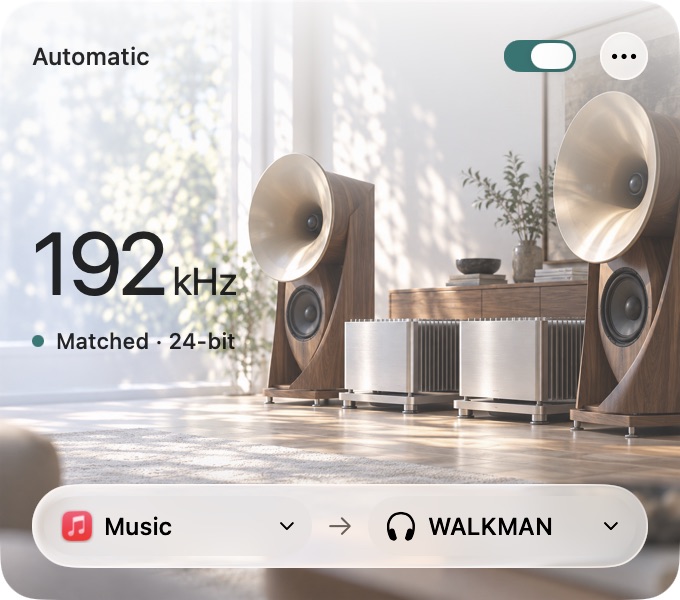
The scenes are decoration, not sound-quality ratings.
| Player | What filo does |
|---|---|
| Apple Music | Matches the rate automatically, using the track’s local file when Music exposes one, or Music’s lossless decoder diagnostics otherwise. |
| Spotify | Applies a fixed 44.1 kHz music profile. Spotify’s per-track format is not detected. |
| Either | Lets you pick a fixed rate manually in Settings. |
When the source format is unknown or your DAC does not support it, filo leaves the output rate unchanged and says so on the card.
Connecting makes your DAC the Mac’s default output. The default path needs no extra audio driver, recording permission, or administrator access. After sleep or unplugging the DAC, turn the switch on again. See the user guide for statuses, settings, and troubleshooting.
Matched means the DAC’s hardware rate equals the source rate filo observed. It is not a certification of bit-perfect playback or of an audible difference.
The validation record lists exactly what has and has not been measured.
filo has no accounts, analytics, or network features, and it never uploads or records your music. It reads playback state from your player through macOS Automation and keeps that information in memory. It saves only your player and output choices as app preferences, plus small recovery records that let it restore your output settings after an unexpected exit.
Direct relay and Exclusive preview in Settings route the player’s audio through filo itself. They need extra permissions, and Exclusive preview needs BlackHole 2ch and a compatible DAC. They are research features, not recommended for everyday listening; read the Exclusive preview guide first.
| Guide | For |
|---|---|
| Install | Downloading, first launch, updating, and removing filo. |
| User guide | The card, statuses, settings, permissions, and troubleshooting. |
| Exclusive preview | The experimental exclusive output path and its limits. |
| Architecture | How filo is built and where its guarantees stop. |
| Validation | What has been tested, on what, and with what result. |
| All documentation | Laboratory, release process, research notes, and more. |
Tell us how filo works with your DAC, including your macOS version, player, DAC model, and what happened. ••• → Connection details → Copy diagnostics gives a summary you can review before posting. You never need to share music files. Report security issues privately as described in SECURITY.md.
You need Xcode 26 or later, or the Command Line Tools with the macOS 26 SDK.
git clone https://github.com/Audiofool934/filo.git
cd filo
bash scripts/build.sh
open dist/filo.app
filo is written in Swift with SwiftUI, AppKit, and CoreAudio, plus a small C audio bridge, and has no third-party runtime dependencies. See CONTRIBUTING.md for tests and project conventions, and Distribution for signed releases.
filo is released under the MIT License. Its implementation is original and uses public Apple APIs. LosslessSwitcher and Choritsu informed the early feasibility research; no code from either project is included. The name comes from the Italian word for “thread”.